
Skip to content
INVENTORY MANAGEMENT

Smarter inventory management for retail

Stay ahead of demand, manage complex inventory and eliminate inefficiencies with Saledock's powerful inventory management software.

retail-inventory-management-software

Gain control over your retail inventory

Sell with confidence

Accurate stock levels everywhere - Better visibility of on-hand, allocated and incoming stock.

Real-time inventory sync

Effortlessly sync your entire inventory across any channel - in-store, online and marketplaces.

Replenish stock

Restock with purchase orders and transfers - Set re-order points to automate order replenishment.
ecommerce-platform-product-management

Effortless inventory management

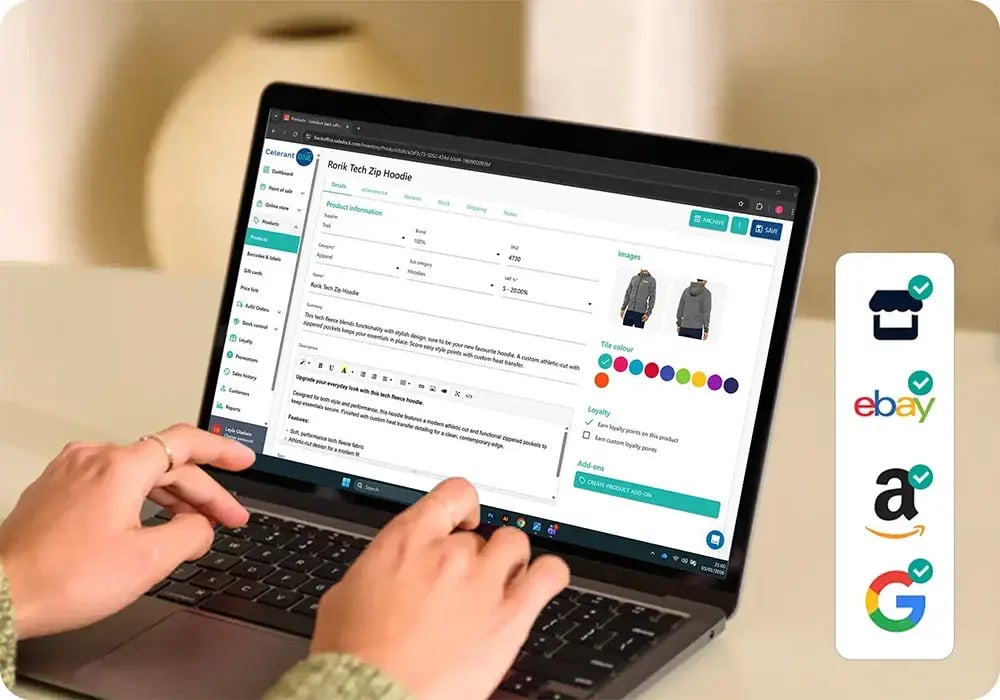
Saledock gives you powerful, centralised control over your entire product catalogue - making it easy to manage complex inventories, sell across multiple stores, your website, eBay and Amazon - keeping product data consistent everywhere.

  • Visible stock levels per SKU - See available stock on-hand, stock allocated to open orders and incoming stock on PO's
  • Create single, variant, collection and bundle products - add colours, sizes and custom variant options
  • Sell your way - Enable the sale of out of stock items for back order or create pre-order and pre-release products with shipping and release dates

Inventory replenishment

Set re-order points and ideal quantities, and never over-stock or run out of your best sellers! Receive low stock alerts so you can transfer stock between stores or send purchase orders to your suppliers. No need to add products or order quantities manually; Saledock auto-populates low stock upon purchase order creation.
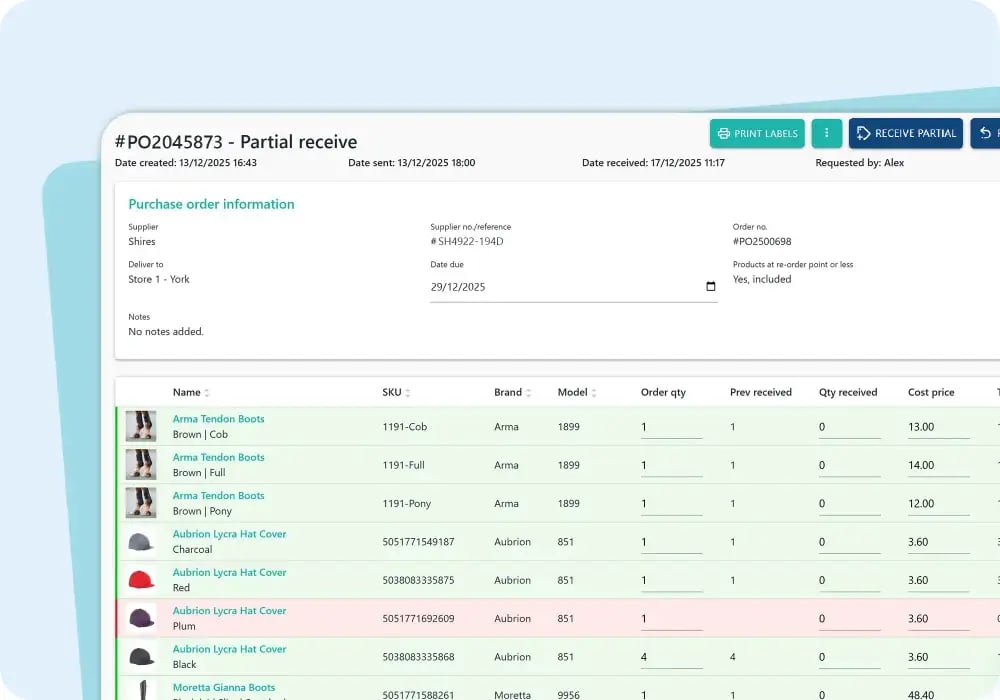
  • Track open order progress, confirm partial receipt of order or return faulty items
  • Check stock in/out, transfer stock or write-off damaged stock
  • Stock levels are instantly updated upon receipt or return of stock on your PO
inventory-management-purchase-orders
Track Right retailer logo

"In a sector often dominated by large, impersonal corporations, the Saledock team stands out for their human touch and exceptional customer service. Saledock has been a game-changer! The reliability and efficiency of the system means we spend less time troubleshooting and more time focusing on the actual work we need to do"

Simon B.
Owner @ Track Right Equestrian
pet-aquatic-store-inventory-management

Robust stock management

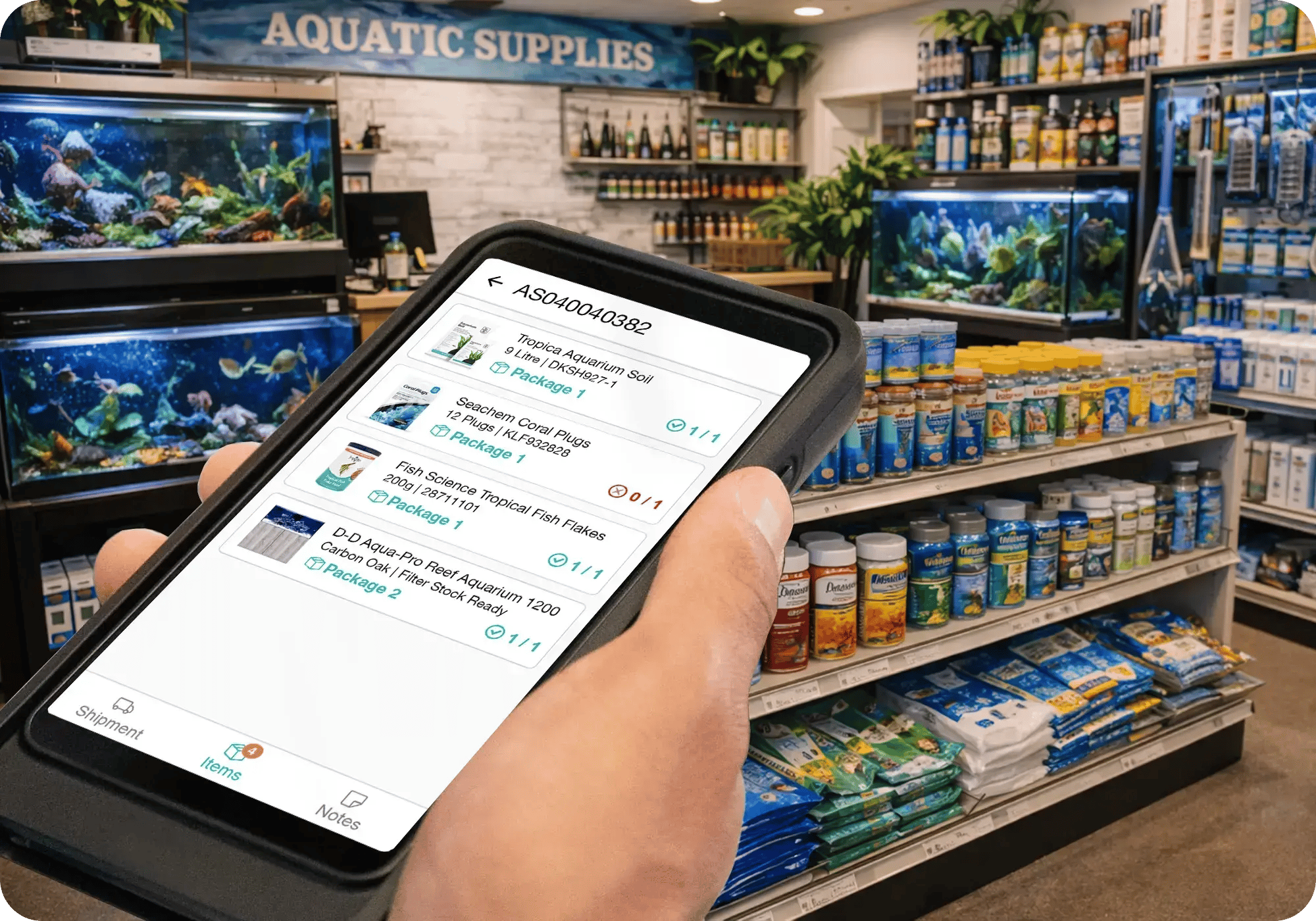
The Saledock Stock Control app is a powerful handheld solution for managing single-store, multi-store, or multi-warehouse operations. Built for the Sunmi series - rugged industrial devices with lightning-fast, highly accurate barcode scanning - it puts complete inventory control right in your hands.

  • Improved inventory accuracy - Perform full and partial stock takes, transfer stock, write-off stock and fulfil any online or POS ship to customer order
  • Enhcanced customer experiences - Check stock levels and details on the shop floor
  • Fast stock movement - Quickly receive stock on purchase orders

Increase stock accuracy

Create multiple stock takes in advance ready for your staff to complete on Saledock's stock control app. No need for spreadsheets or manual entry, create a stock take using your product inventory - products are instantly sync to the app.
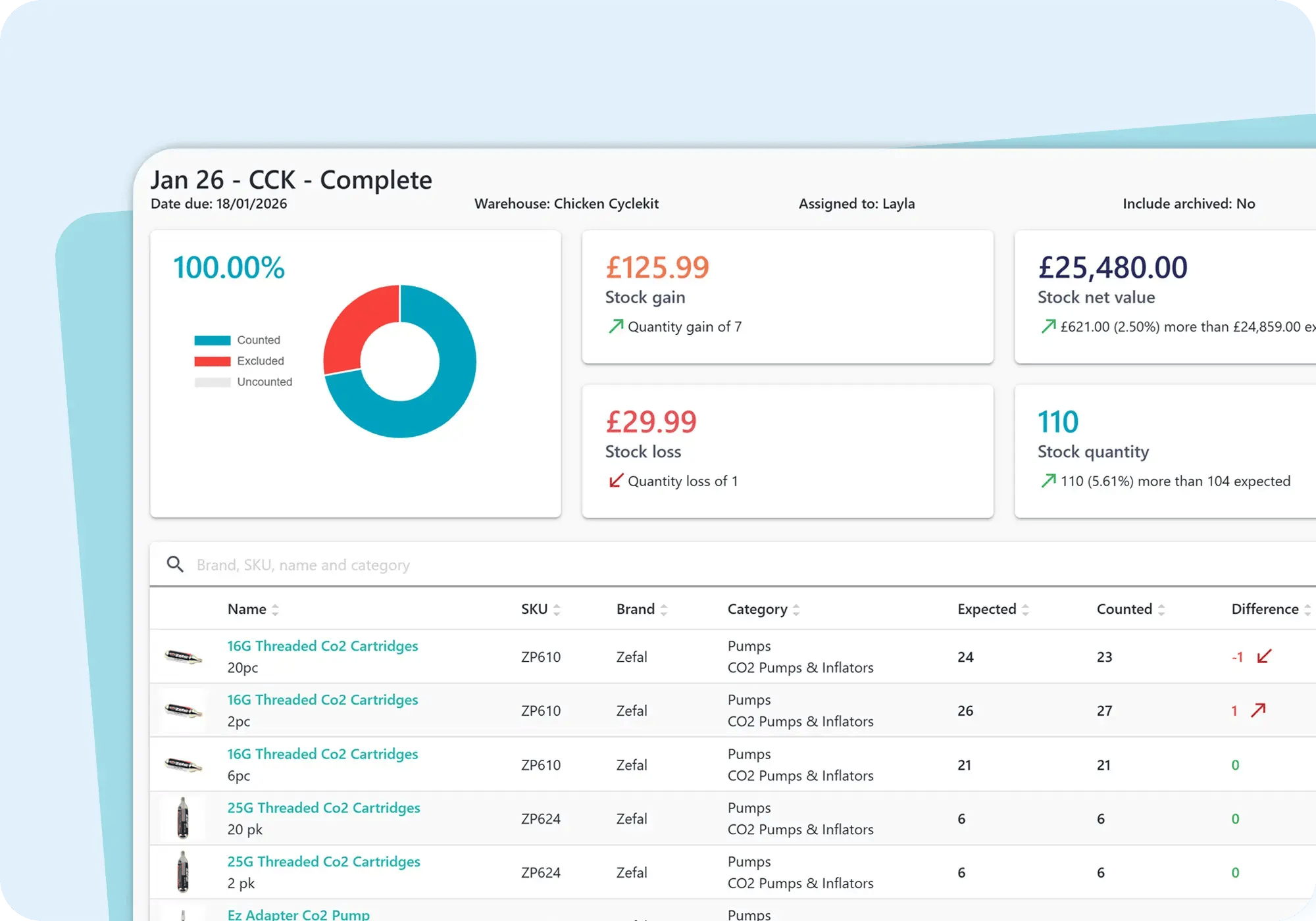
  • Create full or partial stock takes - view progression in real-time
  • Stock level changes are instantly sync across all your devices
  • View profit and loss and stock differences from each stock take
inventory-management-stock-take

Explore inventory management features

Unlock powerful inventory management features with our all-in-one retail software.

Track orders everywhere

Efficiently manage and fulfill in-store and online orders - Eliminate picking errors and maintain accurate inventory levels.

Inventory lookup

Quickly lookup products showing details like stock levels, descriptions, brands, suppliers and categories.

Better stock visibility

Move dusty inventory! - Create time sensitive promotions or include as free items on loyalty reward redemption.

Multi-channel stock

Ensure inventory stays perfectly synchronised across all stores and channels with every transaction.

Smarter inventory planning

Improve forecasting and make smarter re-ordering decisions with insight into your product performance and sales.

Automate replenishment

Restock with purchase orders and transfers - Set re-order points to automate order replenishment.

Bulk import and edits

Easily import products into your retail system in bulk from a CSV file.

Barcode label printing

Automatically print product SKU's and barcode labels in bulk.

Keep stock counts accurate

Perform counts by scanning product barcodes on Saledock's stock app.

Never run out. Never overstock.

Discover how real-time stock visibility and smart forecasting protect margins - book a demo today.

We're here to help you succeed!

Hardware

Touch screens, printers and scanners. We've got that covered too.

Smooth migration

No need to start from scratch. We'll migrate your existing data.

Onboarding

Get started quickly with one-on-one training and online resources.

Reliable support

Dedicated support team on hand to help by phone, email and live chat.

FAQs About Inventory Management

What is inventory management?
Inventory management (aka stock control or inventory control) is the process of tracking how many units of each product (your stock levels) you have in all locations, including stock rooms, warehouses and the shop floor. Knowing your stock levels helps you understand your business better and order ahead for busy periods.
What is an inventory management system?

An effective inventory management system is invaluable to any retail business. Inventory levels are constantly changing each day due to sales, receipt of purchase orders, stock transfer, stock write-offs and stock takes. An inventory management system is software designed to track products, inventory orders, and fulfilment both to and from customers as well as with suppliers.

One central eCommerce, POS and inventory management solution helps avoid inventory shortages and streamline the stock order management process. There are several components to an inventory management system:

  • Order management: Easily fulfil in-store and online orders.
  • Inventory control: Effectively manage stock levels to avoid under and overstocking.
  • Multi-store and channel: Keep stock levels in sync after every sale across all stores and channels.
  • Reporting and insights: Understand product performance and sales data to help make smarter data-driven re-ordering decisions.
  • Purchase order generation: Receive low stock level alerts based on custom re-order points and automate supplier purchase orders.
What are the benefits of inventory management?
Effective inventory management is at the heart of any retail business. Without accurate stock levels, retailers run the risk of overstocking, impacting profits if the product needs to be sold at a lower profit margin to move it. There’s also a risk of selling items that are out of stock especially if retailers sell both in-store and online, and share the same stock. This is frustrating for the retailer but also leads to customer dissatisfaction and loss.

By setting re-order points on each product, you’ll receive low stock alerts prompting you to create a purchase order or transfer stock so stock is replenished before running out of stock.

Knowing when to restock, the quantity to restock, how much to pay and how much to sell at is complex, but powerful inventory management software not only tells you stock quantities but surfaces performance data to help you understand your business better and make smarter data-driven purchasing decisions.

Read our blog, Taking Stock – Why retailers need an inventory management solution for more information.
What are the must-have features of an inventory management system?
Retail inventory management software should have the following core features:
  • Inventory levels: Track your stock levels across all locations
  • Real-time syncing: Stock levels instantly update after every sale across all channels.
  • Demand forecasting: Helps you understand how well your stock is selling and plan ahead for peak periods. Analytics help you understand product performance across stores, brands, categories and more, so you can confidently place orders and reduce the risk of under and overstocking.
  • POS integration: Synchronisation with Point of Sale (POS) systems is vital. Stock levels are automatically updated after every sale, eliminating the need for manual counts.
  • Stock replenishment: Ability to place supplier purchase orders and transfer stock.
What are popular KPIs for inventory management?
KPIs, or key performance indicators, help you effectively manage your inventory. Some of the most popular KPIs are:

  • Inventory turnover rate: The number of times inventory is sold and replaced within a period of time.
  • Lead time: The time between a low stock alert being trigger, to a purchase order being placed and the products being received.
  • Days to sell: How many days did it take to sell an item once it was received. An important figure when forecasting the demand for a product.
  • Stockouts: The number of times a product is out of stock. A useful figure when adjusting re-order point levels. Re-order points may need increasing to avoid stockouts which lead to customer dissatisfaction.
  • Average order value: The average revenue generated from a purchase order.
What are the main types of inventory management?

The main types of inventory management are days sales of inventory (DSI), just-in-time management (JIT), materials requirement planning (MRP) and economic order quantity (EOQ). Each inventory management type used depends on the type of business you operate.

What is multi-store inventory management?

A multi-store inventory management system makes it easy to transfer stock from one store to another via a stock transfer request, or a back order where an order has been taken in one store and needs to be fulfilled and shipped to the customer from another.

Stock transfers are useful if a store isn’t selling inventory as well as another. A stock transfer can be made instead of placing a new purchase order with the supplier. Multi-store stock analysis reports help you compare stock performance across multiple stores.

Read our blog, The importance of an integrated inventory management system on how it can help reduce human errors and scale your business.

What is multi-channel inventory management?

A Multi-channel inventory Management system enables retailers to manage their multi-store, eCommerce and marketplace inventory using one inventory management system. Inventory management is at the heart of operations so it’s crucial stock levels are in sync and correct across all channels.

Relying on multiple inventory management systems for different channels often leads to out of stock purchases; a deterrent and frustration for customers, and makes management of stock a manual, error prone, and time consuming process for staff. A multi-channel inventory management system instantly updates stock levels across all channels after every sale, enabling retailers to seamlessly sell anywhere, anytime.

Get the best in retail POS

Our award-winning ePOS, eCommerce and inventory solution makes selling and retail management a breeze!