Reconciliation
Automate reconciliation through one-click matching of tracked payment totals and transaction fees.
Execute strategic business decisions utilising accounting software with real-time data and reporting, integrated into your retail software.

Automate reconciliation through one-click matching of tracked payment totals and transaction fees.
Generate reports per store and per register for in-depth analysis of your retail business.
Easy Xero and Quickbooks integration setup. Simply create your accounts in Xero and map data fields to Celerant ONE by Saledock.
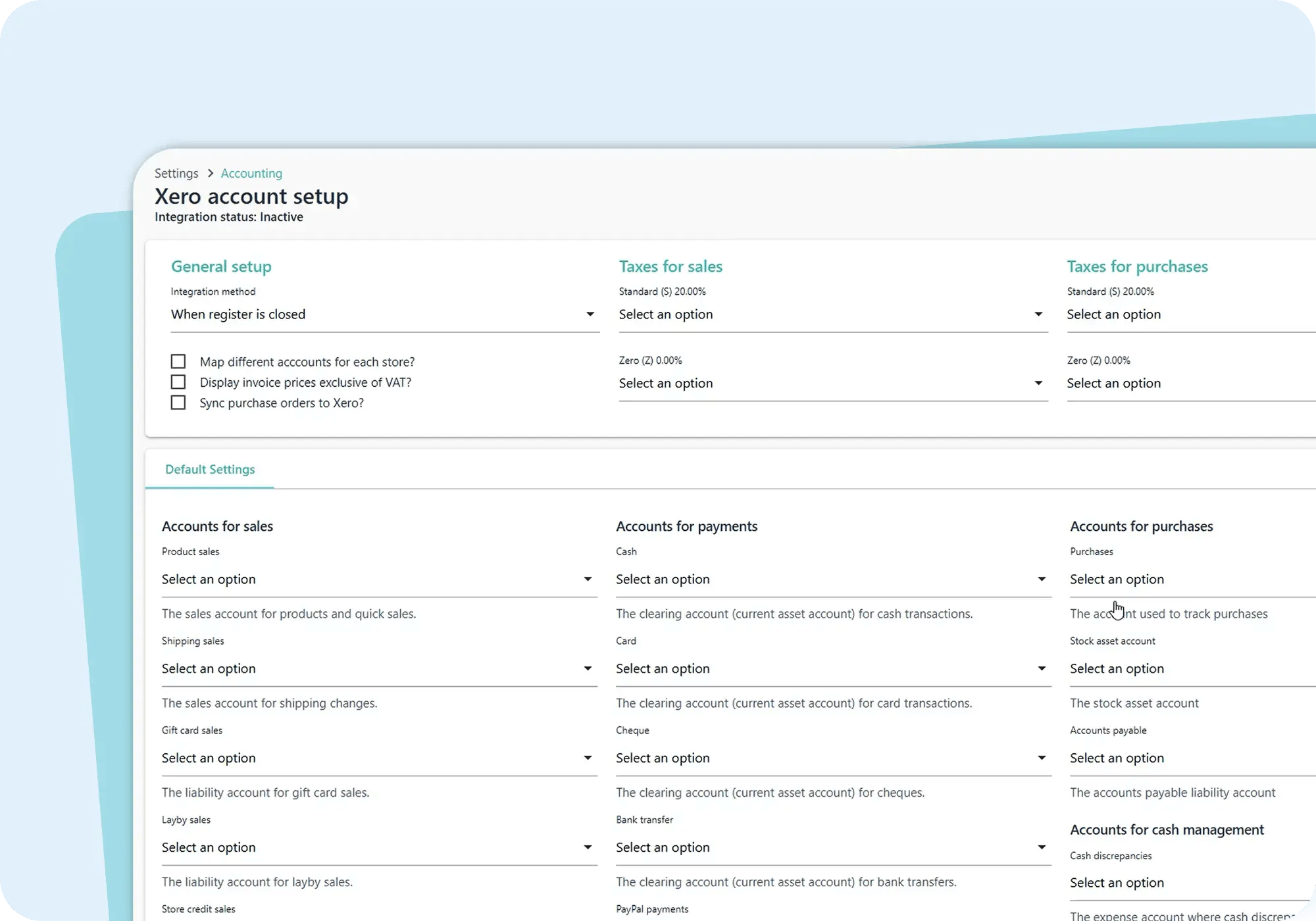
Connect your data to Xero or Quickbooks to eliminate manual data entry - saving time and reducing the risk of costly human error. Transactions, purchase orders, taxes and liabilities are automatically synced with your accounting system for faster reconciliation.
Accounting integration within our retail software gives you the flexibility to manage finances using built-in tools or connect to your Xero or Quickbooks accounting system, all from one central platform.
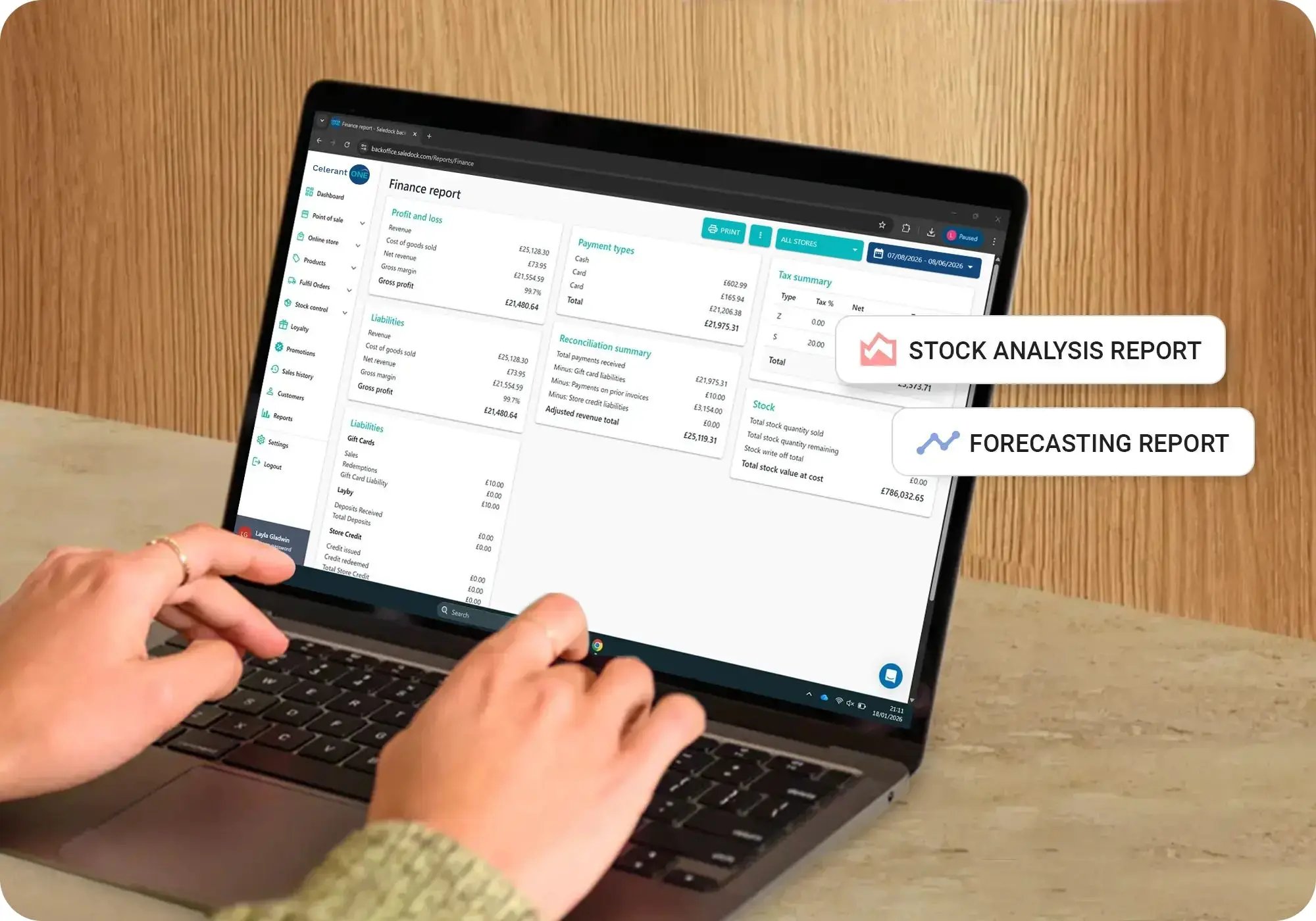
Unlock powerful accounting management features with our all-in-one retail software.
Track on-account sales and issue invoices and statements.
Create professional physical or digital quotes and send them to customers.
Track sales tax for all purchases with detailed reports and tax calculations.
Understand product performance and forecasts to help predict cash flow needs.
Keep an eye on your day-to-day finances, track bank balances, invoices and more.
Map accounts for sales, payments, purchases, taxes and cash management.
Track gift card, store credit, deposits and invoices as liabilities to ensure accuracy.
Track cash floats, cash in/out and cash discrepancies and reasons.
Automatic PO creation in Xero or Quickbooks when PO's are created in Saledock.
Real-time data and seamless POS integration help you make confident decisions faster.
Get started quickly with one-on-one training and online resources.
Dedicated support team on hand to help by phone, email and live chat.
Our retail software includes a comprehensive set of accounting features designed specifically for retail businesses. These include sales and payment tracking, accounts receivable, purchase order management, cash handling, tax recording and liability tracking. Together, these features reduce reliance on manual processes, improve data accuracy and give you better visibility into your financial performance.
Yes. Purchase orders created in the system are tracked for accounts payable, helping you monitor supplier balances and outstanding invoices. Cash management tools allow you to manage cash floats, record cash in and out, and track discrepancies. All data is structured to support faster, more accurate reconciliation.
The integration with Xero automatically syncs in-store and online sales, payment totals, invoices, purchase orders, cash movements and liabilities. Once your accounts are mapped, transactions sent from the retail software can be easily reconciled against your bank feeds in Xero. This significantly reduces manual data entry, improves accuracy and saves time on day-to-day bookkeeping.
The QuickBooks integration syncs sales transactions, payment types, invoices, purchase orders, taxes and liabilities. This ensures your financial data in QuickBooks reflects real-time retail activity, making reporting, reconciliation and financial analysis more accurate and efficient.