

Angling
Point of Sale
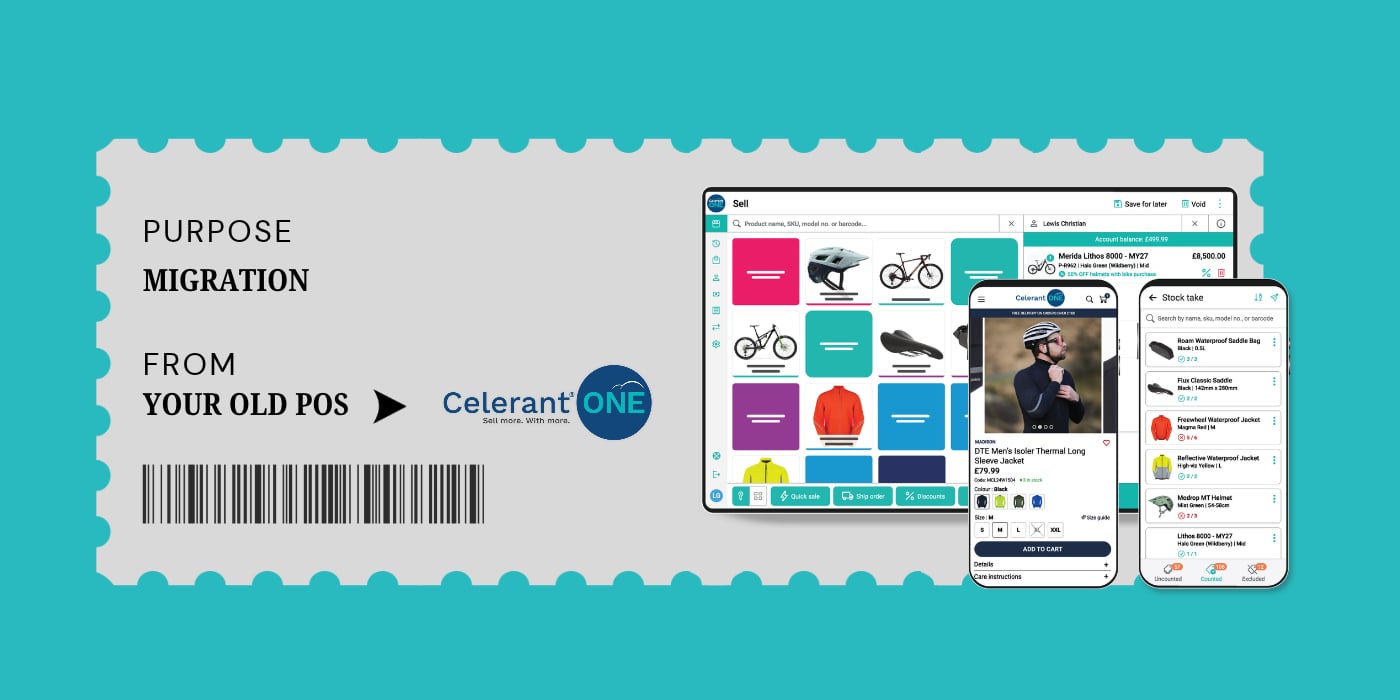

Changing your point-of-sale (POS) system means moving more than your sales from one till to another. Your product data, stock records, payment setup, staff routines, and, in some cases, your eCommerce website all need to be considered before you're ready to go live.
If you're planning to change POS providers, this guide walks you through what the migration process involves, what you'll need to prepare, and how to get your team ready for the switch. We'll also explain what the process looks like when moving to Celerant ONE, our retail platform at Saledock, including how our implementation team supports you from initial planning through to go-live and beyond.
Once you've signed up, one of our implementation managers becomes your main point of contact. They'll work with you to understand your setup, agree on the project scope, and put together a migration plan covering the work ahead.
That includes arranging system access, coordinating your data migration where it's part of your agreed scope, helping you test the setup and organising training for you and your team. Your implementation manager stays involved throughout the process, so you have someone to contact when questions come up.
As a general guide, onboarding typically takes around two months for POS and three months for POS and eCommerce. Data migration usually takes around five to six weeks once your data has been cleaned and reviewed and is ready for us to work with. The overall timeline will depend on your setup, the condition of your data and how quickly each stage can be completed.
Your product catalogue and stock information are usually among the first things we look at. Depending on your setup and the agreed scope, we may also need your customer records.
Product data is typically supplied in a CSV file and may include details such as:
Our team will explain which information is needed and help you prepare the files. If data migration is part of your project, our implementation manager will review the data, prepare it for import, and flag anything that requires your attention.
You'll then review the file and make decisions about your own product records. For example, you might need to confirm which duplicate listings to keep, whether older products should remain in your catalogue or how particular product variants should be grouped.
If data migration isn't included in your agreed scope, our implementation manager will guide you through importing your products yourself.
You can find more detail in our guides to bulk product import and bulk customer import.
Once your data has been prepared, it needs to be checked before import. Missing barcodes, inconsistent categories, or incorrectly grouped variants can create extra work when you're searching for products, receiving deliveries, or managing stock.
You'll want to check that:
Our implementation manager will flag issues identified during preparation, and you'll review the records that need decisions from you. Once the file has been checked and approved, we can move ahead with the import if it's included in your project.
Our bulk product import guide explains the required format and common import errors. It's a useful reference if you're preparing the data yourself.
The time needed for this stage depends on the size and condition of your catalogue and how quickly any flagged issues can be resolved.
A new system affects everyone who uses it, from the person managing stock in the back office to the staff putting through sales at the till. Your team needs time to get familiar with the day-to-day tasks they'll be carrying out.
Before go-live, you'll have access to the Celerant ONE back office and POS so you can explore the system and practise using it. There's no separate test environment, so you can work directly in the system, try out the relevant workflows and report any issues to your implementation manager.
We'll arrange training around your setup and help you work through the areas you need to understand. That might include managing products, handling sales or getting familiar with the back-office tools you'll use to run the shop.
Training takes place during onboarding, alongside the other preparation work. The time needed will depend on your team's size, the tasks they carry out, and how much practice they need before trading on the new system.
Before you start using Celerant ONE day-to-day, you'll need to check that the system and your data are ready for the changeover.
For your POS, this includes checking the setup and making sure your stock figures are accurate. We recommend carrying out a stock take immediately before go-live, once your data has been imported, so the quantities in the system reflect what you actually have on hand.
Our POS go-live checklist walks through the preparations to complete.
If you're also launching an eCommerce website, there are additional checks around product listings, categories, navigation, payments, and delivery settings. We'll need access to your domain account to make the necessary DNS changes, so it's worth arranging those details early.
You can follow our eCommerce go-live checklist to prepare for launch. Our team will work through the relevant checks with you, and Richard coordinates the website launch once testing is complete and any bugs have been resolved.
Your POS go-live can be arranged when you're ready, based on the agreed plan and the work that needs to be completed. We'll help you work through the remaining steps so you know what's outstanding before the switch.
Go-live preparation is part of your overall onboarding timeline, with the time required depending on your setup and whether any issues need resolving before launch.
Getting the system up and running is a big milestone, and your team may still have questions once you start using it during a normal trading day.
Our implementation manager stays involved for the first month after go-live, giving you time to raise questions and get help as you settle into the new setup. You can also request one refresher training session if you'd like to revisit parts of the system with our team.
After that first month, we'll hand you over to our support team for ongoing assistance.
The time needed for migration depends partly on how quickly your data is ready and decisions can be made. A few common things can slow the process down:
 Preparing your files early, making time to review them and arranging the right access in advance can help keep the project moving.
Get in touch with our team for a quick review of your current retail setup. We'll look at how you're managing your shop today, where Celerant ONE could help improve your processes, and what a move to the platform would involve for your business. You'll leave with a clearer idea of your options and a plan for making the switch when you're ready.